
Elimity Insights allows you to import data from your applications in the form of sources.
Every source represents the authorization data of a specific application. Entities of distinct sources can then be linked to each other through linking strategies, for example stating that an HR employee and an Active Directory user are linked based on a common email address.
The data of a source is reloaded (imported) by the logic of a connector. A source can be created by instantiating a built-in connector or by defining a custom source.
Built-in connectors
Built-in connectors are connectors that are directly built into Elimity Insights. These built-in connectors are provided to enable you to import data from well-known sources without having to write any complex logic. Moreover, Elimity Insights will automatically keep the data of this source up to date by importing the authorization data from the source on regular intervals. Elimity Insights provides an ever-expanding library of these built-in connectors.
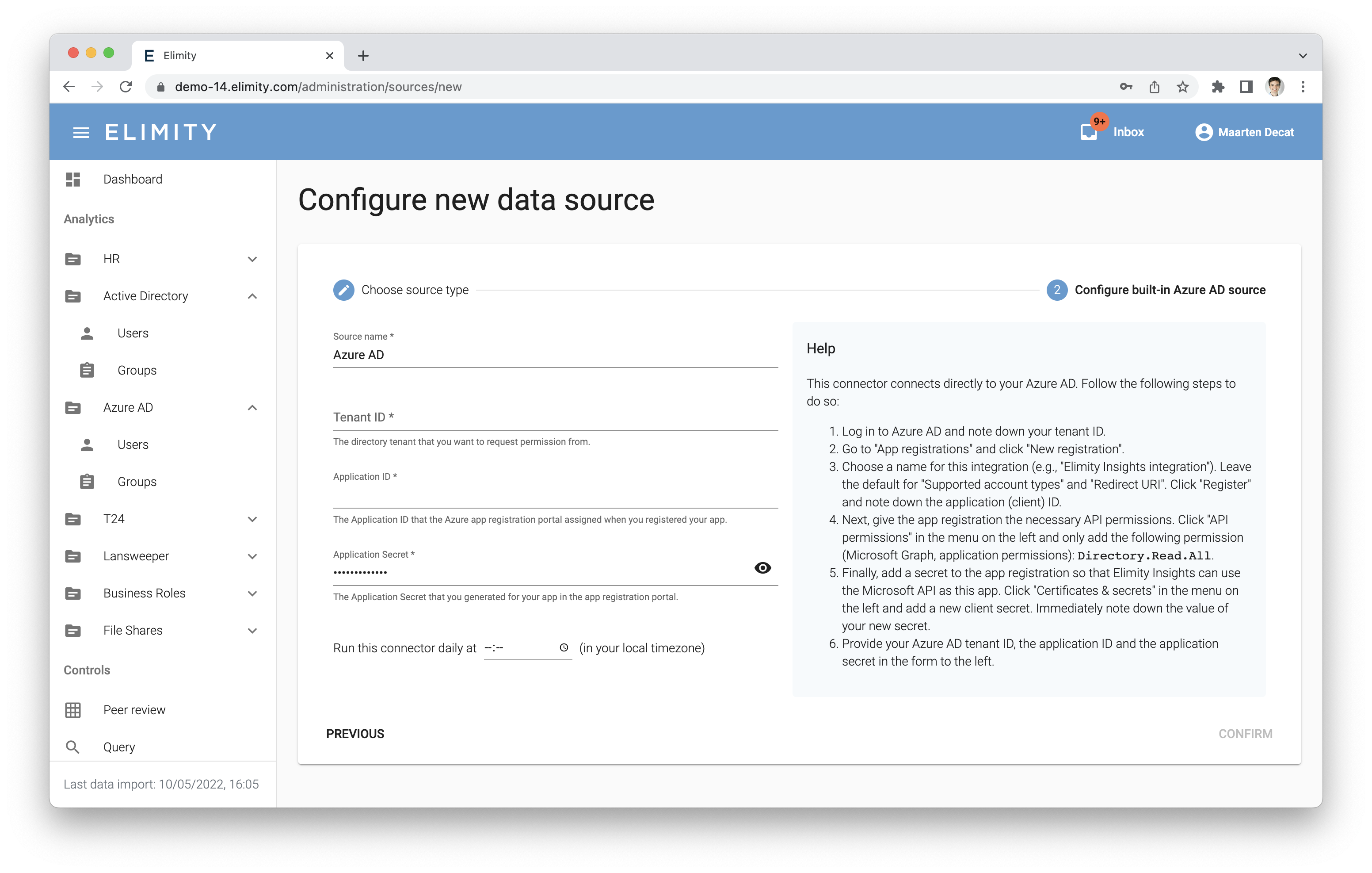
A built-in connector specifies its own data model, provides a set of out-of-the-box stored queries and import logic. Setting up a source based on a built-in connector only requires configuration, for example:
Custom sources
Built-in connectors are a great way to quickly set up sources in Elimity Insights. While we continuously work on expanding our library of built-in connectors, many organisations have critical applications that are not listed in this library yet. For those sources, Elimity Insights supports specifying custom sources.
A custom source is a source for which you can fully define the data model yourself.
Elimity Insights provides two options to then import data into a custom source:
- Programmatically push data using our REST API. This option is perfect for setting up custom or on-premise agents that regularly (e.g., daily) pull data from one of your applications and push this into Elimity Insights in a fully automated fashion. Elimity provides client libraries to facilitate creating such agents, for example for the Python programming language.
- Manually push data as a CSV using the UI. This option is perfect if you want to avoid creating a custom agent and if it's okay to refresh the data of the source less frequently (e.g., weekly or monthly). For more information about the format of the required CSV, see this article.
Comments
0 comments
Please sign in to leave a comment.