
As explained in this article, Elimity Insights supports two types of data sources: sources created by instantiating a built-in connector and custom sources for which you manually define the data model. For these custom sources, Elimity Insights supports that you manually provide a new data snapshot in the form of a CSV file.
How to provide the new data snapshot
To import a new data snapshot for a custom source, click the "Import from CSV button" in the imports tab of the source details:
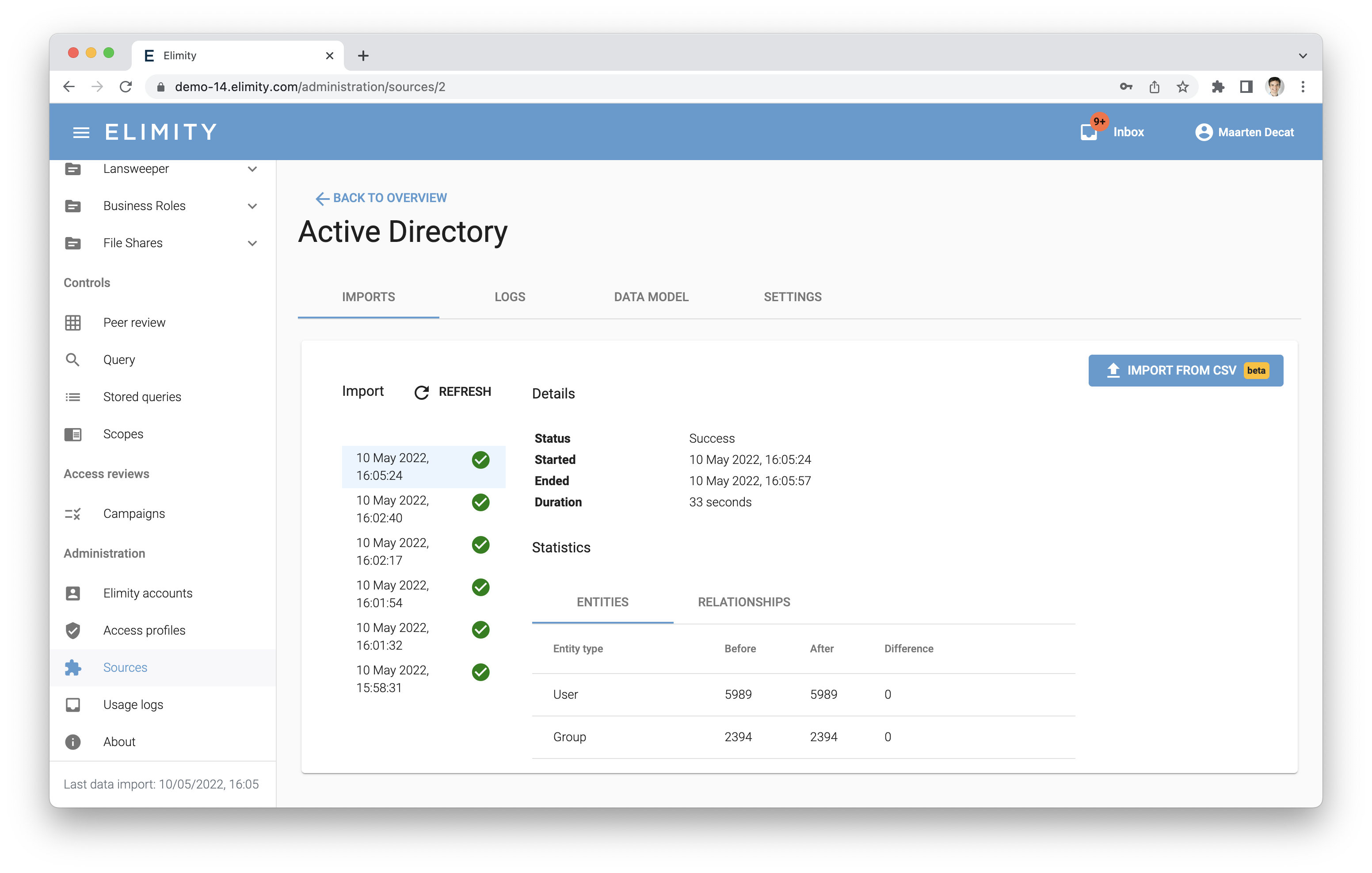
You can then provide your CSV file, after which Elimity Insights will validate the contents of the CSV file and will report on any error.
Expected format
Elimity Insights supports a complex data model consisting of entities that are assigned attributes and that can be linked to each other.
A CSV file should contain data of a single source and that data should match the data model of that source. To represent this data in a single CSV file, Elimity Insights expects that the CSV file is formatted according to a number of rules.
Running example
To illustrate those rules, let's use a simple data model consisting of two entity types:
- Users:
- Id: "user"
- Attribute types: active (boolean)
- Groups:
- Id: "group"
- Attribute types: created (date)
Let's also use the following small example data set of this data model:
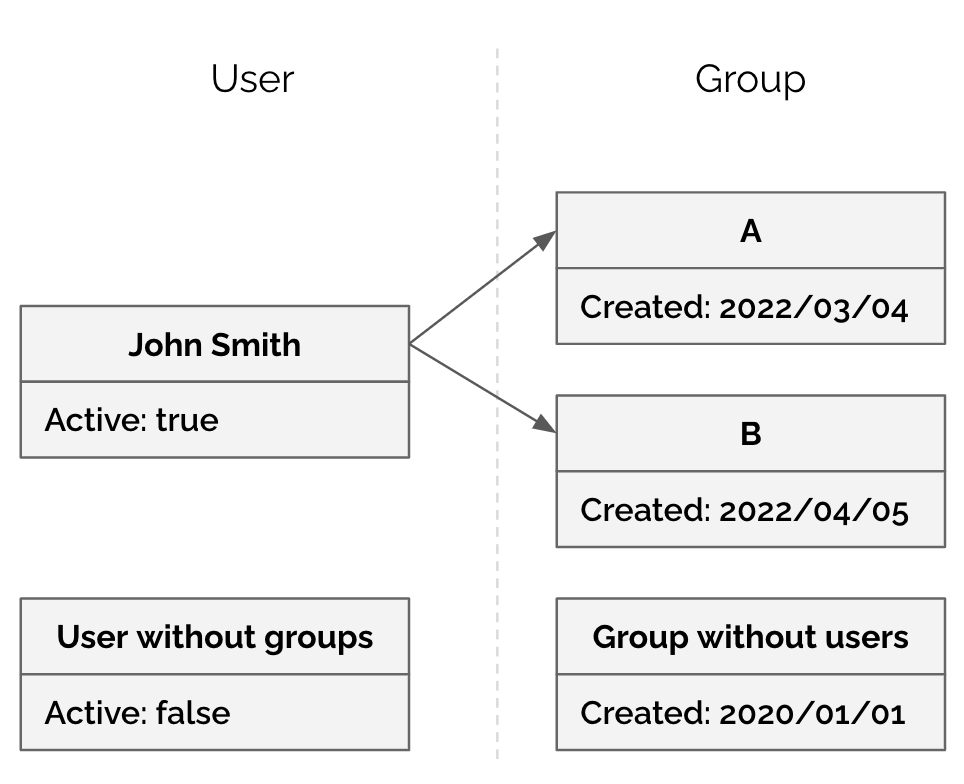
The following table represents the valid CSV for this example data set:
|
user: id |
user: name |
user: active |
group: id |
group: name |
group: created |
|
johnsmith |
John Smith |
true |
GroupA |
Group A |
2022/03/04 |
|
johnsmith |
John Smith |
true |
GroupB |
Group B |
2022/04/05 |
|
UserWithoutGroups |
User without groups |
false |
|||
|
GroupWithoutUsers |
Group without users |
2020/01/01 |
Representing entities
- For every entity type, the CSV contains the following set of columns: id, name, one column per attribute type for that entity type. The id and name are required. The column of an attribute type can be omitted, resulting into NotAssigned for this attribute type for every entity of this entity type.
- Entities on the same line of the CSV are considered to be linked.
- Every column for an entity type is prefixed with "EntityTypeId: ", e.g., "user: name" in the example above.
- If a line contains a value for the id of an entity type, that line is interpreted to contain all information (name and attribute assignments) about the entity with that id.
- If a line does not contain a value for the id of an entity type, that line is interpreted to not contain an entity of that entity type.
Representing relationships
- The CSV file is interpreted as the cross product of all entities and relationships in the snapshot. This is a similar structure as the Excel exports of a data table in Elimity Imports.
- If a line contains values for ids of two entity types, these entities are considered to be linked to each other.
- If a line contains values for ids of more than two entity types, this line is interpreted to contain multiple direct relationships using the order of the entity types.
- Every column for a relationship attribute type is prefixed with "FromEntityTypeId - ToEntityTypeId: ".
Note that because the CSV contains the cross product of the entities and their relationships, it is likely that multiple lines will repeat the information of a certain entity (e.g., UserA in the example above). No error is given if the attribute assignments for such entity differ on different lines. It is not defined which values are actually used in this case.
CSV validation
The CSV validation returns an error and blocks the import if at least one of the following cases occurs in the CSV file:
- a column references an entity type that does not exist in the source,
- the id column is not given for an entity type and other columns are given for this entity type,
- the name column is not given for an entity type and other columns are given for this entity type,
- a column is given that cannot be mapped to an existing attribute type,
- a column contains data that cannot be mapped to the data type of the attribute type of that column (e.g., non-number in number column).
Timestamp formats
By default, Elimity Insights expects timestamps in CSV to be formatted according to RFC3339. It is also possible to provide your own format instead. More specifically, Elimity Insights parses timestamps using the Moment.js library, which provides thorough documentation about the supported formats on its website.
Comments
0 comments
Please sign in to leave a comment.